Turn your notch into a
Swiss Army knife.
Hover it and a panel drops out — your tasks, a timer, a tray for files, whatever's playing, everything you've copied. One tool, folded into the hole that was already there.
Free · Apple silicon & Intel · macOS 13+ · 2.4 MB
Five things it holds
Every one of them switches off if you don't want it.
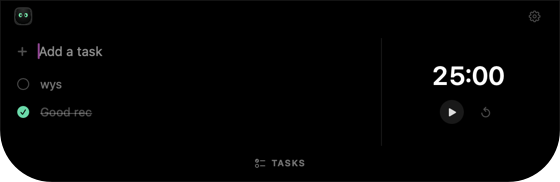 Tasks & timerType, press return. Any length of timer beside it.
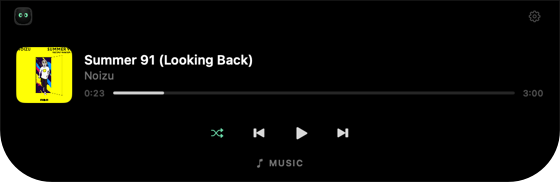 MusicSpotify and Apple Music, without leaving your app.
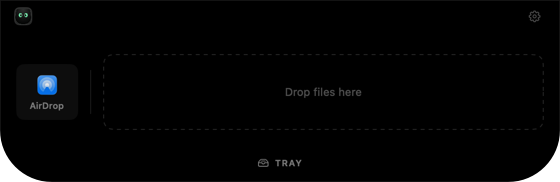 File trayDrag files up, drag them out, or AirDrop them.
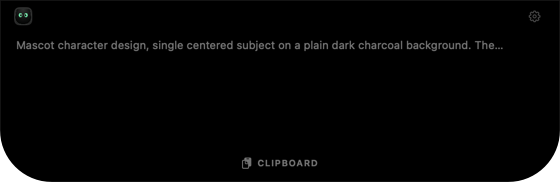 ClipboardThe last twenty things you copied, one click back.
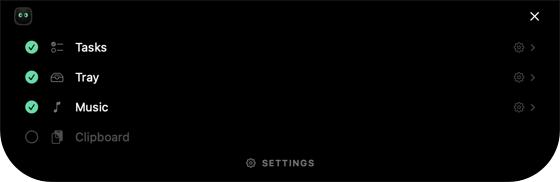 ConfigurableEvery mode, and every piece inside it, switches off.
Questions
Anything else, open an issue on GitHub.
How do I install it?
Open the DMG, drag Notchii into Applications, and launch it once. It's signed and notarised by Apple, so there's no security warning to click past. There's no Dock icon and no window — the mark appears in your menu bar. Then hover the notch.
My Mac doesn't have a notch. Can I still use it?
Yes. On a display without one, Notchii uses a virtual notch at the top centre of the screen, marked by a faint hairline. Everything else works the same.
Which Macs does it run on?
Anything on macOS 13 or later, Apple silicon or Intel. It ships as a universal binary, so there's one download for both.
What permissions does it need?
One, and only if you use the music mode: macOS asks to let Notchii control Spotify or Apple Music the first time it reads what's playing. Hovering the notch needs no Accessibility access.
Is my clipboard history safe?
It's a file in your own Library folder and never leaves the machine. Anything a password manager marks private is skipped, so copied passwords are never recorded. Switch the mode off and nothing is watched at all.
Does it slow anything down?
Nothing runs while the panel is closed. Music polling stops entirely when both players are closed, and the clipboard is only watched while that mode is on.
Does dragging a file into the tray move it?
No. The tray points at where the file already lives — it isn't copied or moved. Dragging it out hands the original to wherever you drop it.
Is it really free?
Yes. MIT licensed, no pro tier, no account. If you'd rather build it yourself, clone the repo and run make install. If it saves you time, a coffee is always welcome.